
Users and permissions
Admin UI users are managed under Access. A superuser may do everything, the first one comes from
createsuperuser, see Management commands. Other users get
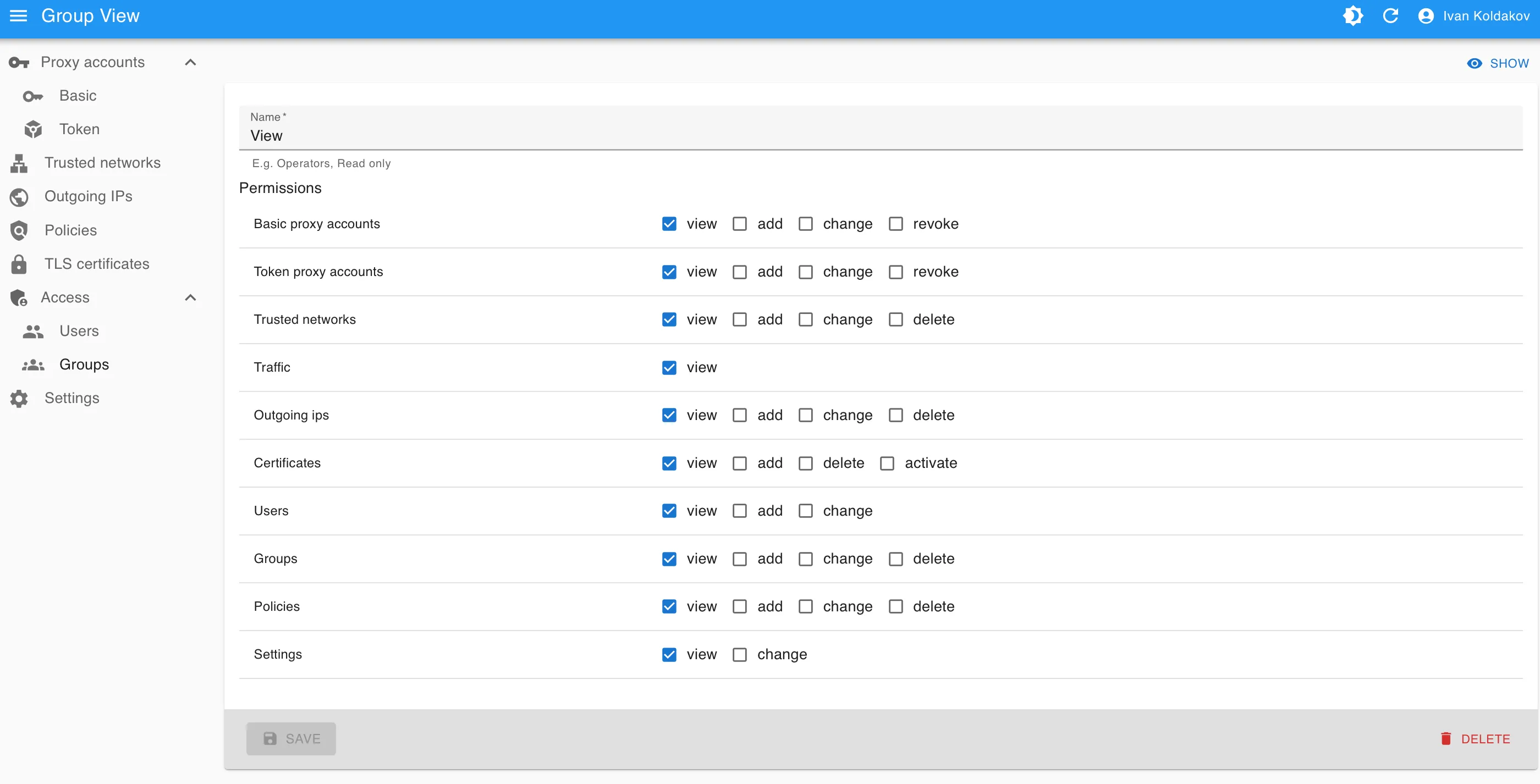
permissions per section and action, e.g. view, add and change trusted networks, revoke basic accounts or activate
certificates, through groups and on their own: a user has the permissions of all their groups plus their own.
Traffic is a permission of its own, so a user can see accounts and networks without their traffic.
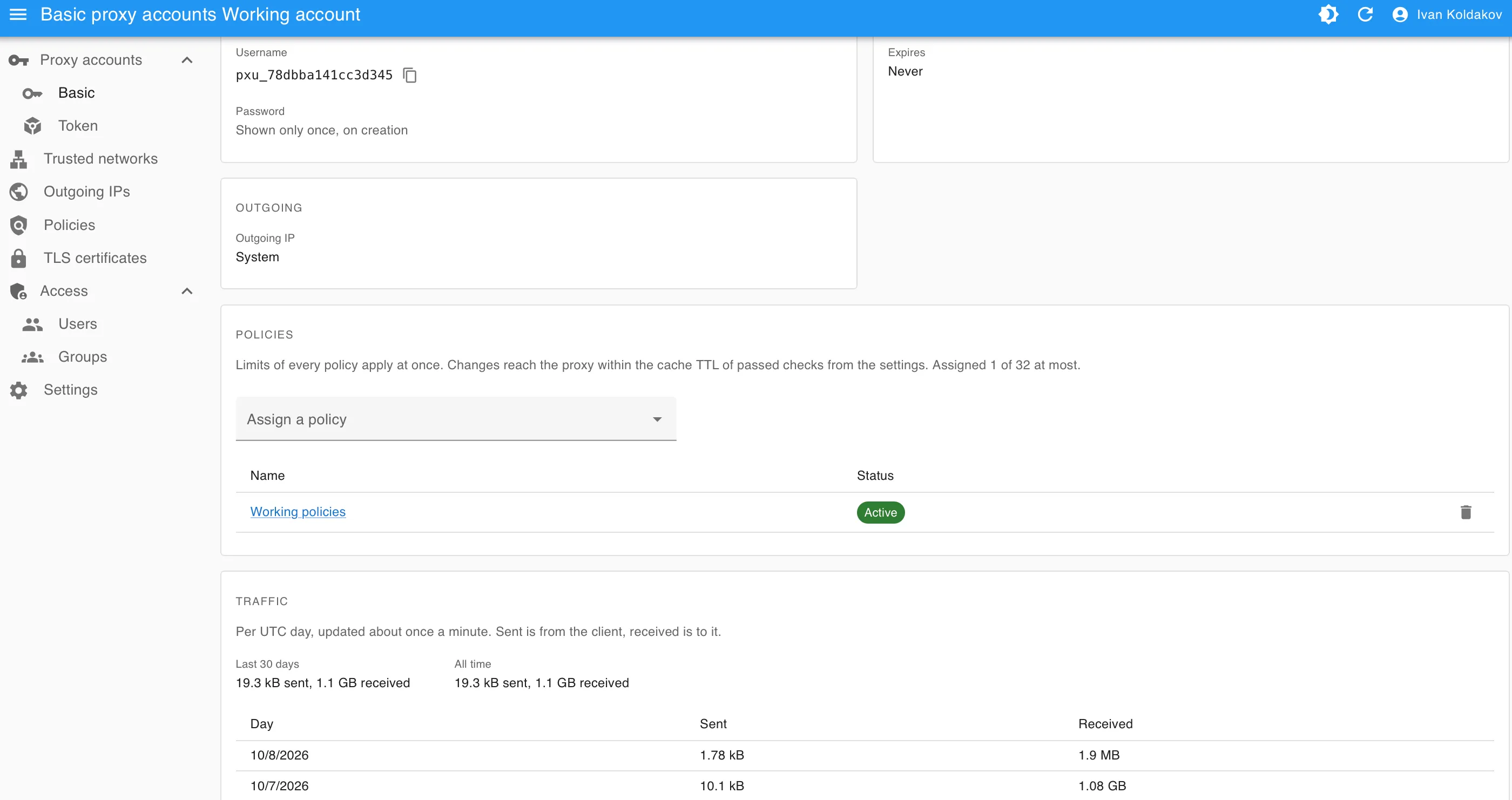
| An account: outgoing IP, policies, daily traffic | A read-only group: permissions per section and action |
|---|---|
 |  |
Groups
Section titled “Groups”Groups, e.g. Operators or Read only, are named sets of permissions. A change to a group applies to all its users.
- A user gives only what they have: permissions, and groups whose permissions they all have. Taking away is always allowed. Only superusers make superusers or change them.
- Nobody deactivates themselves or takes their own superuser status away.
- An inactive user can’t log in. A change of permissions or activity applies to the user’s next request, the admin UI shows it within a minute or at the first refused action.
The admin UI hides what the user may not do: sections, buttons, the outgoing pool without access to outgoing IPs.
Profile and passwords
Section titled “Profile and passwords”- Everyone changes their own name, surname and password under Profile in the user menu, no permission needed.
The email is the login: only a user with
users.changechanges it. - A forgotten password is set anew with Set password on the user’s page. It needs
users.changeand all the user’s permissions, since the password gives them: the button shows only then. Only superusers set superusers’ passwords. Without access to the admin UI, usechangepassword. - A new password, set any of these ways, logs the user out everywhere at their next request, as deactivation does. The admin UI says only that the session has expired, not why. Changing one’s own password under Profile keeps the current session.